Updated on 1st of September, 2026 with feedback about the recommended cables.
(kind-of a sequel to my post about USB-C fast – and not so fast – charging)
I thought to myself: wouldn’t it be nice if I could glance at the device being charged and quickly understand if it’s fully charged or not? For example the MagSafe connectors have an LED which turns green once the charging is done.
I came up with a couple (yes, literally two) of possible solutions for this:
- There are chargers which display the voltage / current / power being delivered (the Pinepower for example, which I like because it takes a grounded input – hopefully it actually does something useful with it internally!)
- Cables which show the power being delivered through them. It just so happens that the wast majority of the devices we want to charge use USB-C (thank you EU!) and for the remainder I’m fine with sticking an adapter on top the cable or using a separate cable which doesn’t have a charging indicator.
But even after deciding to go with the second solution, I wasn’t done, because manufacturers can surprise you in many ways. For example, here is one cable claiming to be passing through ~120W of power, when – in fact – it’s passing through about half of it:
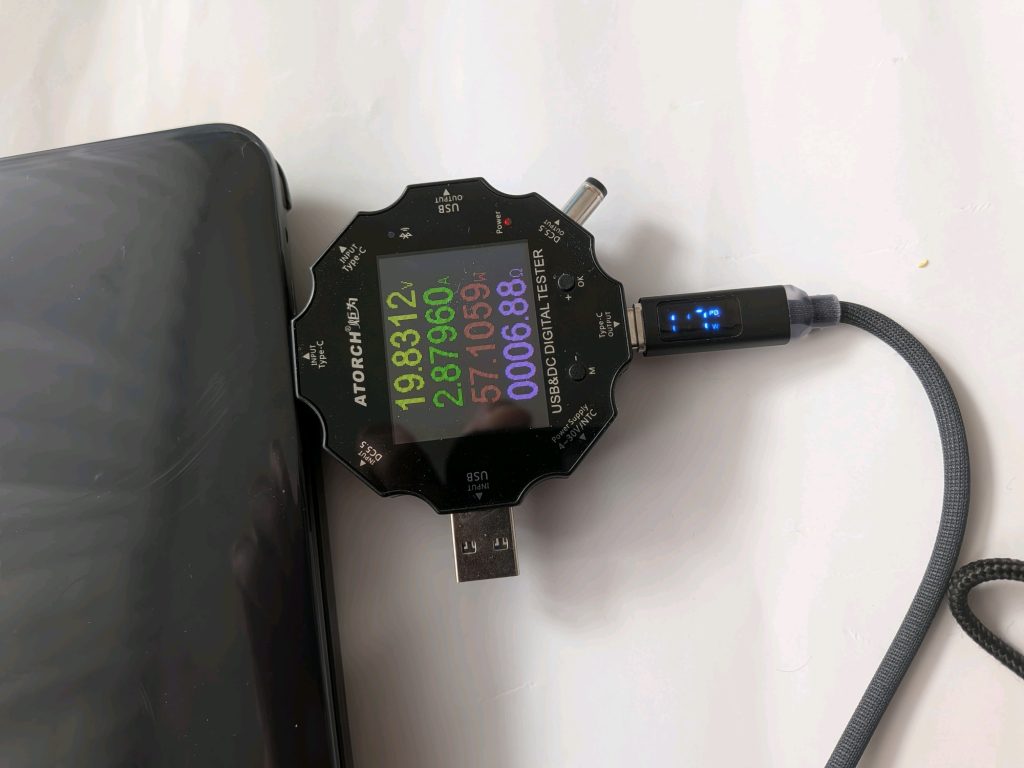
This is annoying, because it means that it can’t be used to answer the question: “can this charger deliver more power to my laptop or not?”.
Even worse, here is the same cable still claiming to be delivering about 120W, while – in fact – the laptop is fully charged and drawing less than 1W of power:
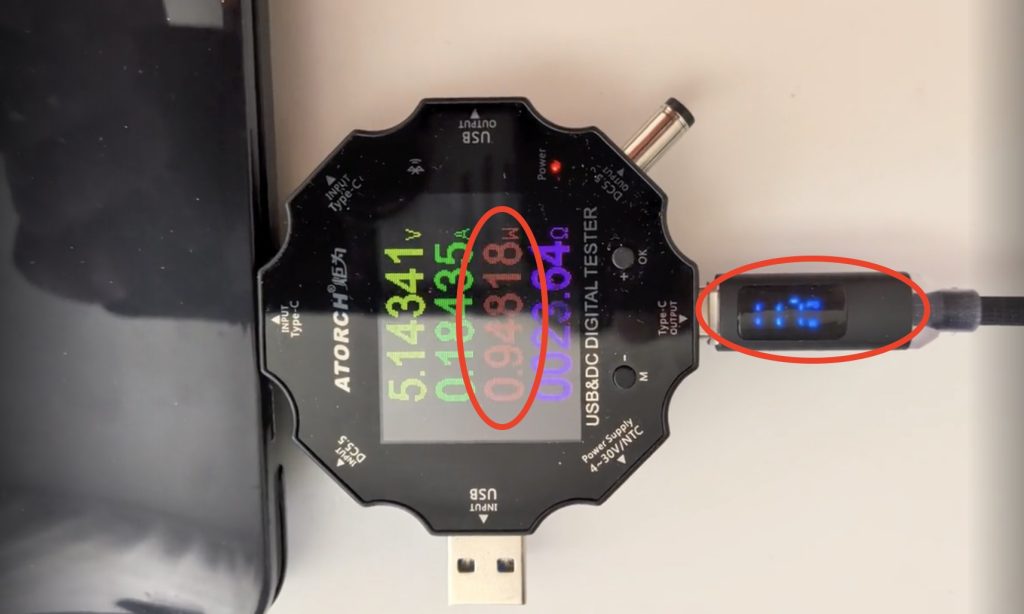
Which makes it totally useless for the intended purpose (to ascertain if the device is still charging or not). Also, tip: the displays of these cables are frequently very flickery. Which isn’t an issue normally, since I don’t intend to look at it for more than a second. But they have such a low refresh rate that my phone camera captures “in between” images. However, I found that shooting a short video and then exporting a frame of it works for capturing a reasonable image.
To end on a more positive note: I found two cables which, based on my testing, do provide more reliable measurement of the current flowing through them. Here are the links to them on AliExpress (although, given how frequently things change there, the links might be already obsolete…):
- 240W Type C Fast Charging Cable
- note: after a couple of months of using this, the connector became loose and no longer makes good contact. I reordered it to see if it was a one-off problem or a general quality one.
- PZOZ retractable usb c to type c
- note: the connector gets quite hot if charging over 60W.
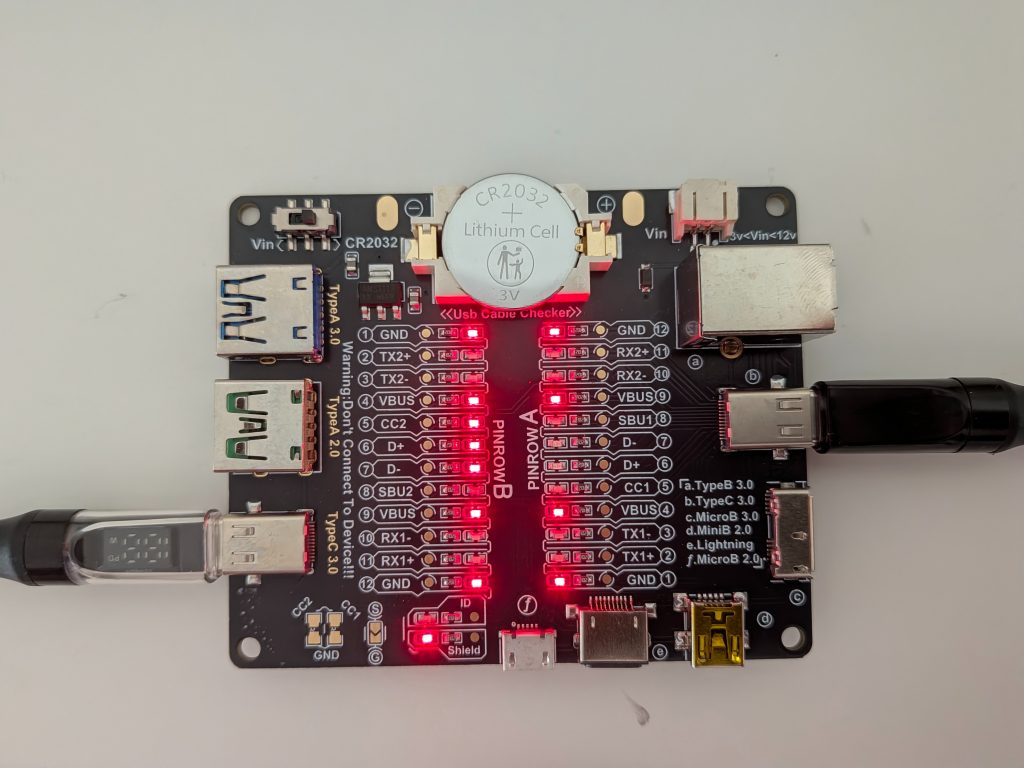
I even tested the cables by connecting my phone to my laptop and they do support some data transfer (didn’t test the speeds though). Here are the leads that are connected for the first one:
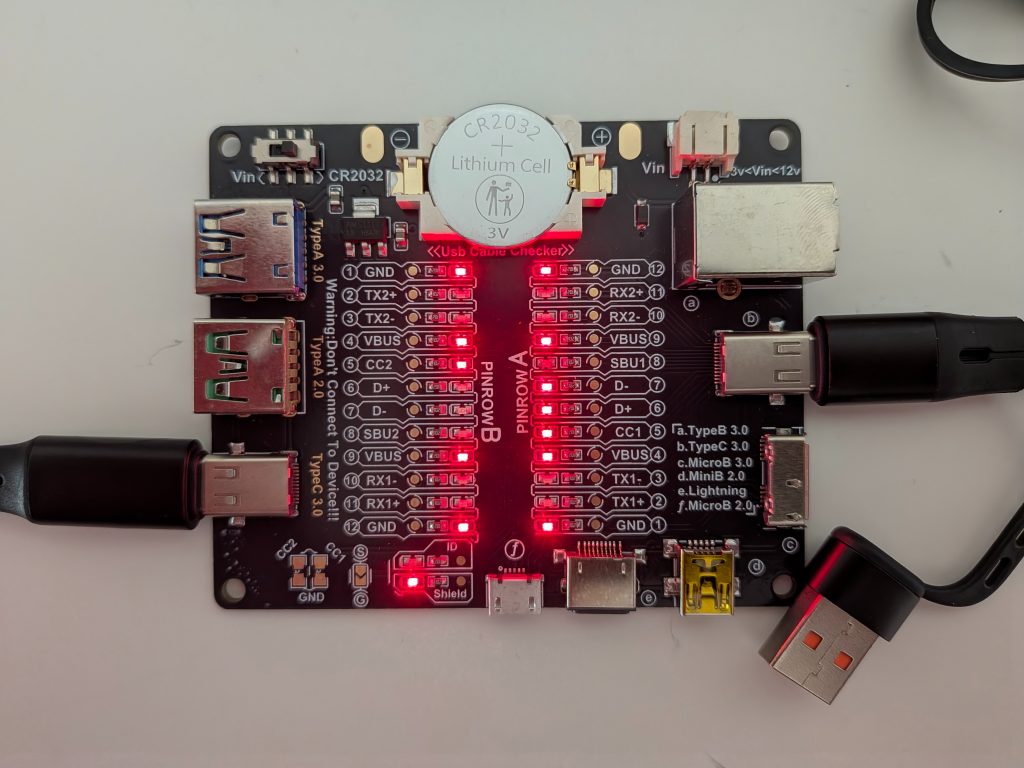
And here are the ones for the PZOZ retractable one:
For reference, here is snapshot from an “official” high speed/high power cable that came with a Dell (?) monitor:
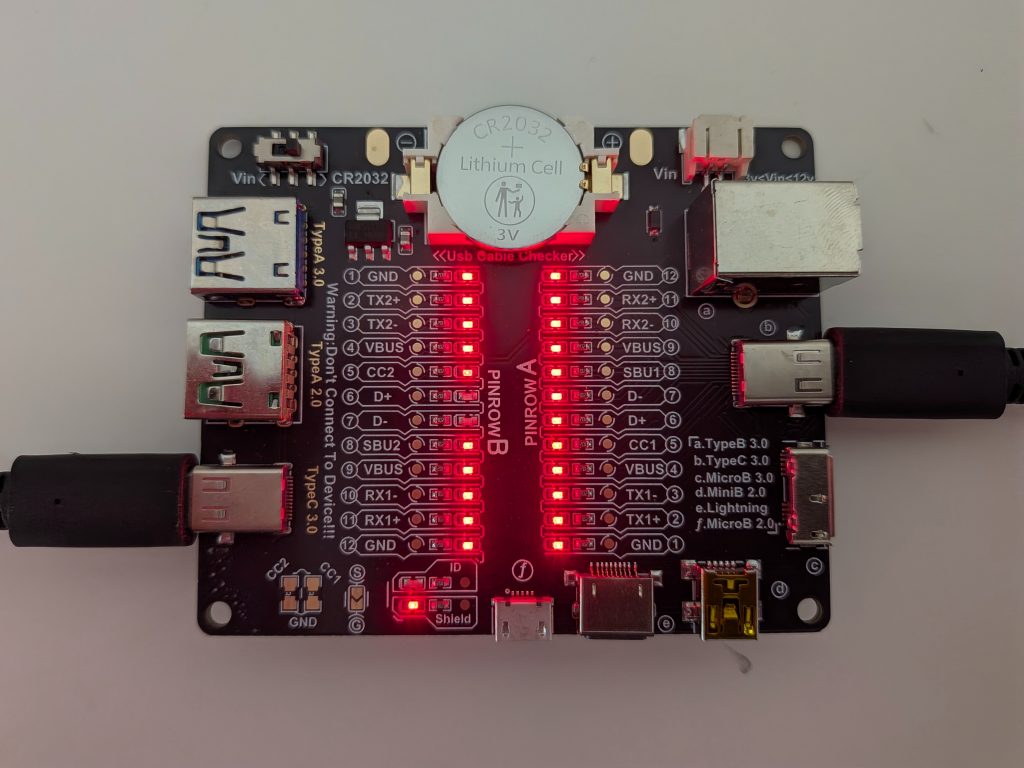
Interestingly, although it has almost all pins connected, it’s missing two of them – which are connected in the first cable.
But anyway, I’ve went on for long enough. May this be useful to you in picking the right cable for your needs!